A new version of the Opportunity
Pipeline will be deployed later on today.
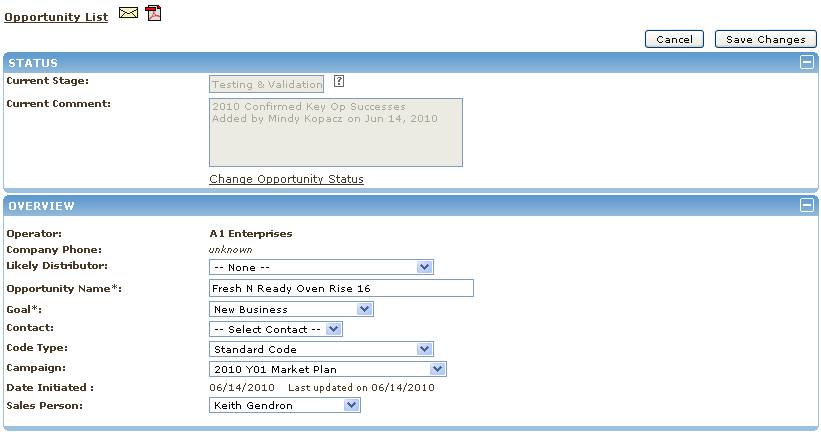
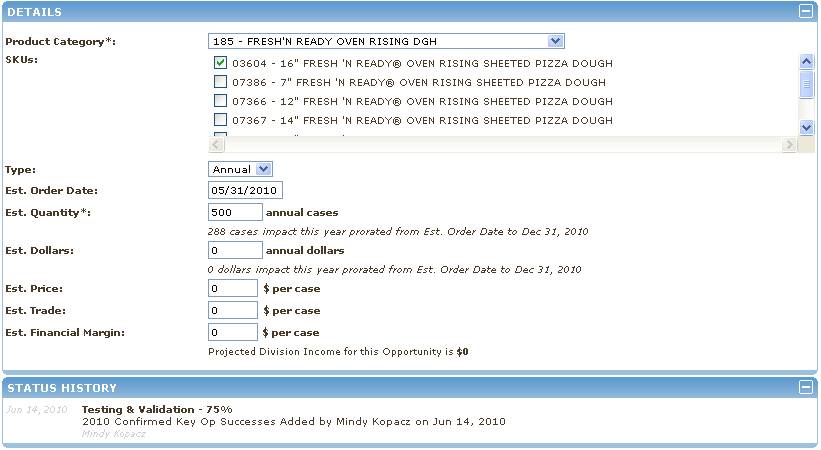
The new version changes the method by which a user edits an
Opportunity. This change will affect ALL
clients that have the Opportunity Pipeline.
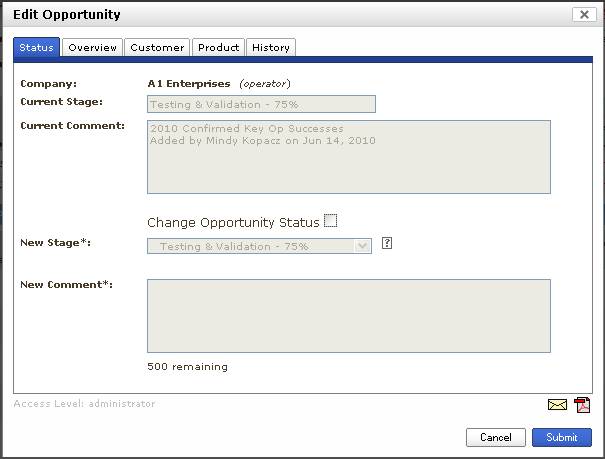
The new method will use a tabbed
popup box (below) like those that are used for adding opportunities and
operators. And replace the embedded
edit panel (far below)
The organization of the tabs was
intended to be a logical extension of what the users we already used to. The differences are as follows:
Status tab - Now has two parts, a
read only part to show the current status, and a second part to allow for
changing the opportunity status. The
user must check the "Change Opportunity Status" box in order to make
a status change. The embedded solution
had a link that the user had to click to bring up a change status dialog. The change status dialog is still available
from the opportunity list via Green Arrow Button.
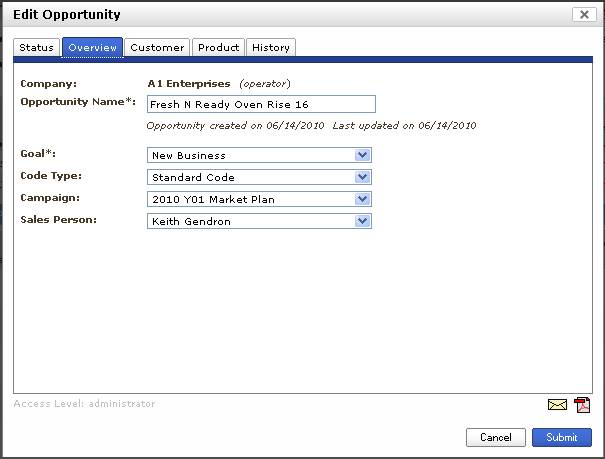
Overview tab - the overview tab has
been simplified to just contain information about the opportunity, like the
name, goal, and sales person. The
fields about the customer and customer contact have been moved to a new
Customer Tab
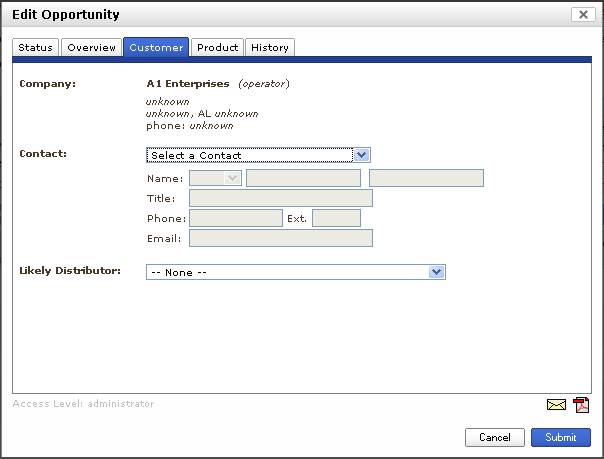
Customer tab - fields about the
customer are here, the company information is non-editable but the address and
phone number are displayed. The user
can select and existing contact or add a new one, the full contact information
is displayed and editable as it is in some of the other areas it is displayed.
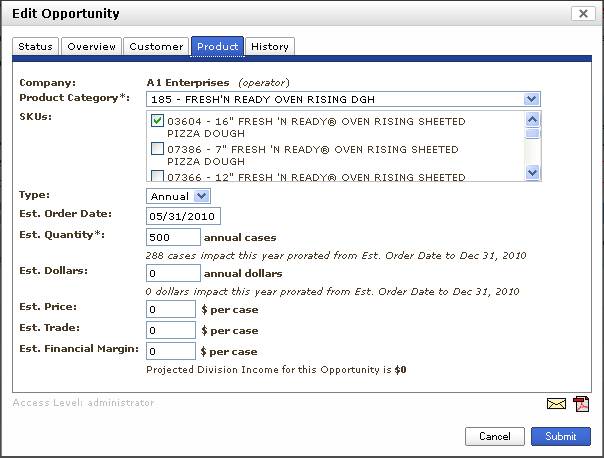
Product tab - all about the product,
it contains the same fields as the embedded versions Detail section.
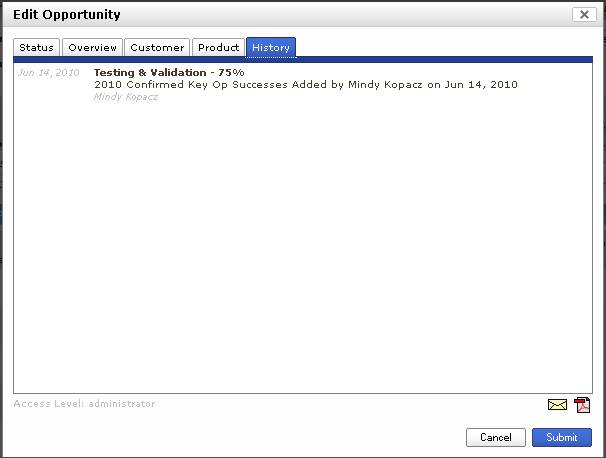
History tab - show this history of
status changes to the opportunity.
Sames as the Status History section of the embedded version.
The email and pdf utility icons have
been moved to the bottom.
New is an light gray "Access
Level" indicator - which can show one of the following values
(administrator, territory, customer manager, view only).
The "administrator" level
is for those users that have access to the opportunity because they have the
"Sales Pipeline Full Access" permission in conjunction with "All
Territory Visibility"
The "territory" level is
for those users that have access to the opportunity because the Customer is in
a territory that they are a team member of.
The "customer manager"
level is for the user that is the customer manager for the target customer.
The "view only" level is
for the users that have access to the opportunity because they have the
"All Territory Visibility" permission.
This indicator is intended to serve
as a support aide.
New Edit Opportunity Dialog Box.
Old Embedded Opportunity Edit