The Broker Staff Contacts (M28) and
Manufacturer Staff Contacts (M31) modules have been update to provide
visibility to the security implications of the group assignments on the
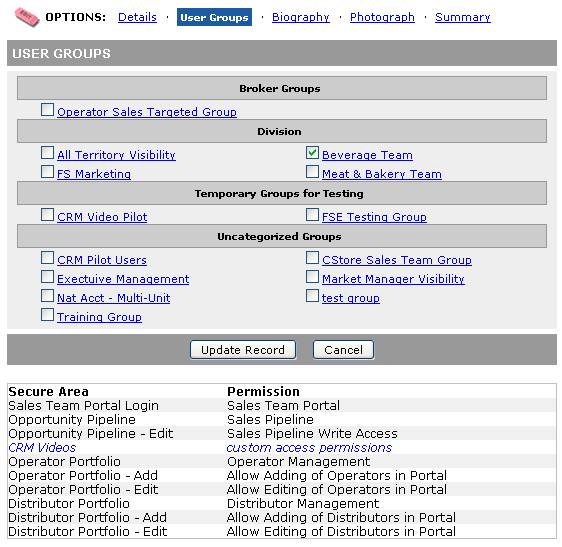
"User Groups" page of a staff record. The Secure Areas (and associated Permissions) that are granted
via membership in the checked groups are displayed at the bottom of the
page. Changing the check state will
update the display at the bottom so that you can more easily see what groups
are granting which permissions. When a
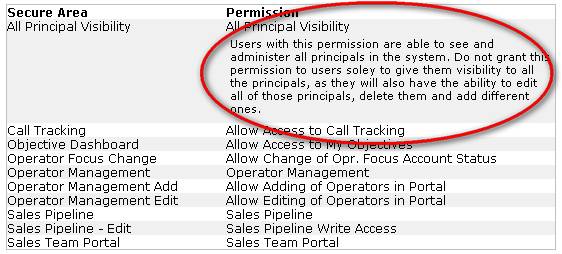
Permission has explanation text (not many do yet) it is displayed as well (see
second screen shot). Secure Areas that
are not associated with any permissions are flagged in blue as custom access
permissions.
The goal of these changes it to help
use better support our customers by providing better information.
User Groups Page
Screen shot with Permission
explanation